Deferred Split Revenue
This feature allows you to defer revenue for a sale that requires splitting revenue among multiple G/L accounts. This feature is available only for merchandise products (not term based products such as membership dues or subscriptions).
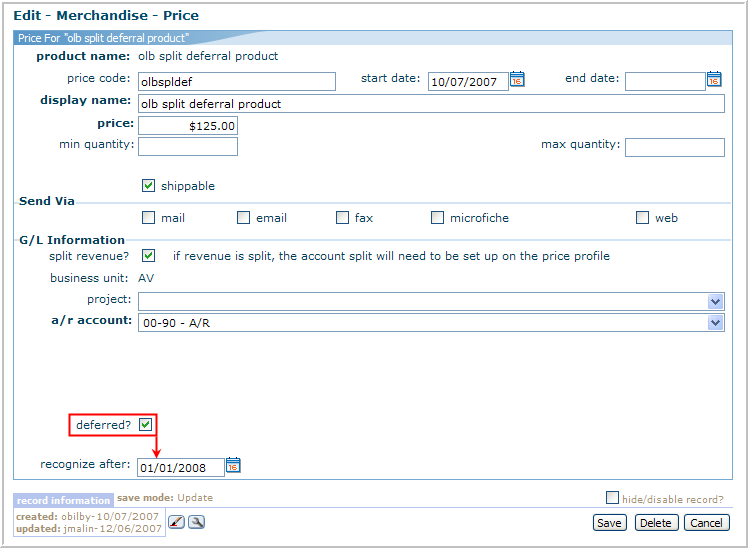
On the Product Merchandise Profile page, click the Prices tab. On the Prices child form, click the edit button. The Edit — Merchandise — Price page will display. Select the deferred? check box. The recognize after text box will display, enter the date you wish the revenue to be recognized. Click Save.
The splits will display on the Price Profile page, on the account split child form. When editing a split revenue, click the edit button on the account split child form. The Edit-Price_Account window will display. Select the appropriate deferred account from the deferred revenue drop-down list. Click Save.
