Viewing Deferrals in iWeb
There are several locations where deferral information is displayed inside NetForum.
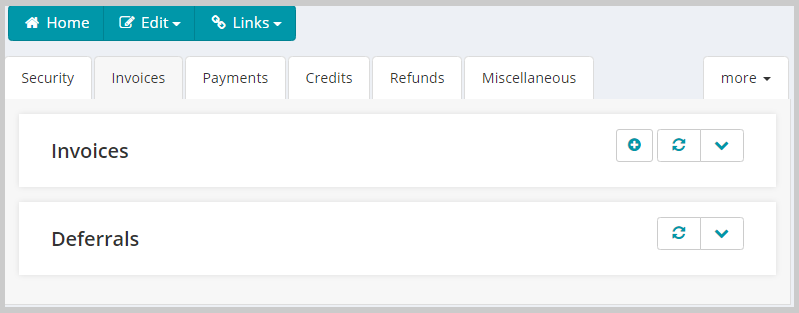
- The first place that deferral information will appear is on the Batch Profile page. This page has a deferrals section on the Invoices tab. This section is populated after batch close if the batch contains deferred transactions.
-
Once a deferral is created it will show in other places. The profile pages for individual and organization contain a Deferral Summary section on the Other Actg tab.

-
Finally, the Invoice Detail profile contains a Deferral Summary and Revenue Recognized section on the Deferred Revenue tab. The Invoice Detail profile can be access by going to an Invoice profile and using the Go To link on the Line items section against the invoice.
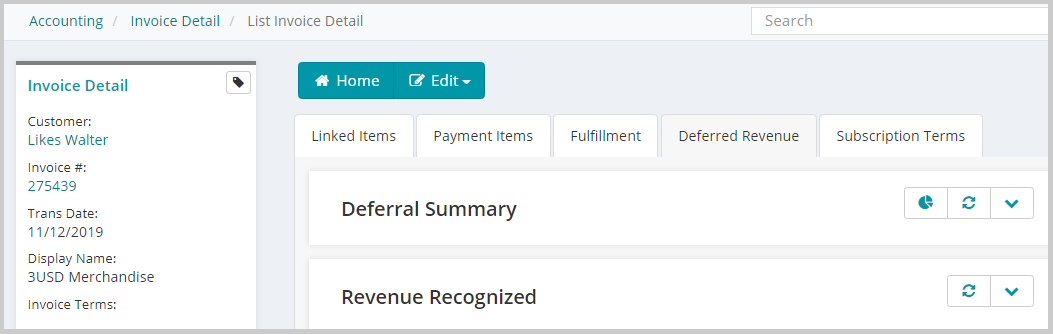
All these places have been updated to display deferral information from the new tables. One change is that the deferrals child form on the batch profile will display records before the batch is closed. This change is caused by deferrals being created when a product is purchased instead of during batch close (as per the legacy process).
In addition, a new Deferral Profile page has been created to provide detailed information on a deferral. This profile is accessed from a new Deferral Schedule child form on the Invoice Detail profile. The child form displays summary information and links to the deferral profile. The deferral profile displays the header and setup information for the deferral at the top and contains child forms displaying information from the deferral detail table.
Deferral Header Profile
The Deferral Profile contains the overview summary and related details for a deferral. The profile displays the invoice information, deferral summary, and deferral setup details.
The invoice information includes the invoice code with a link to the invoice profile, the batch code with a link to the batch profile, the line item quantity, the line item price, and the total amount for the invoice.
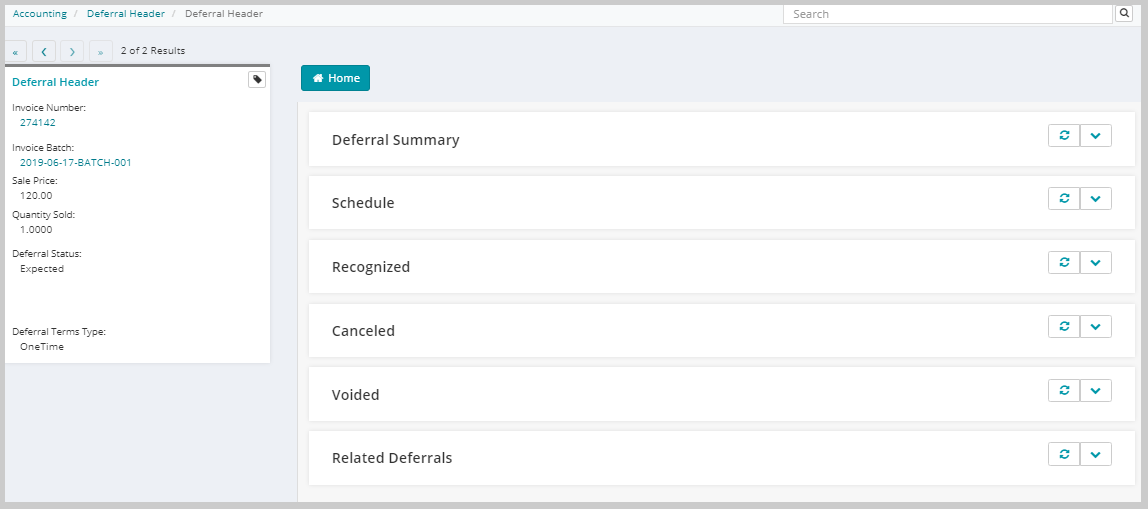
Deferral Summary
This section displays the details for the deferral including schedules, recognitions, cancellations, and voids. Each record in this section shows the period associated with the transaction including the start and end date for the period, the quantity, total amount, type of transaction, and the account affected. Showing the account information is helpful as deferrals with split prices can affect many different accounts.

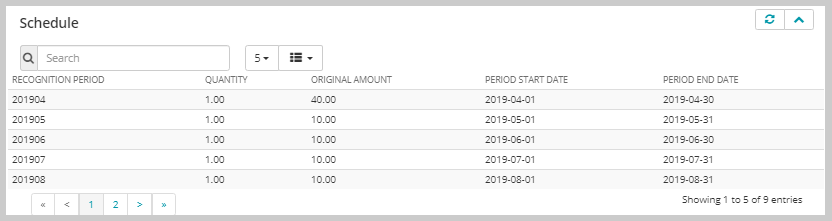
Schedule
This section displays any schedules that have been created for the deferral. These schedules define in which period the schedule will be recognized including the period start and end dates, the quantity of the item, and the amount of money to recognize in each period.
Recognized
This section displays the recognition details associated with the deferrals. Each row includes the status type of the detail, the quantity recognized, the total amount recognized and the recognition period name along with the period start and end dates.

Cancelled
This section displays the cancellation details for the deferral. When a cancellation occurs, the cancel amount is distributed among all the schedules that are affected. Each row shows a quantity that is being cancelled from the schedule, the amount that is being cancelled from the schedule amount, and the period name, period start date and end date.

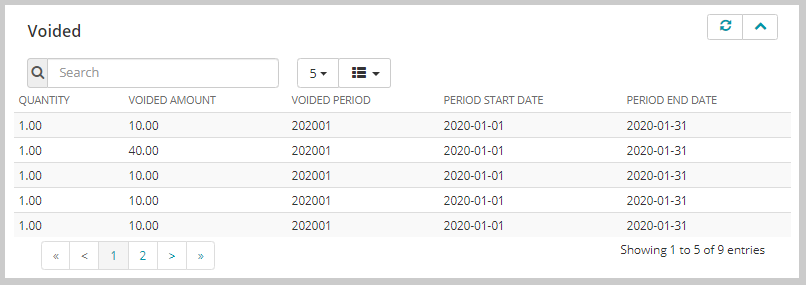
Voided
When a deferral is voided, the system will reverse the entire transaction as if it had never happened. Revenue that had been recognized will be removed. This is different than cancellation which leaves along any revenue previously recognized and just removes any future recognitions. This is reflected in the voided section which displays the schedules that have been voided. In all cases, the voided section will display a record for every schedule, even if some of the schedules had been recognized. This section displays the quantity being voided, the amount being voided, and the recognition period being voided including the period start and end dates.
Related Deferrals
When a deferred product is purchased along with a discount, both the product and discount will have separate deferral records. While these records are separate, they are linked. For example, both the product and discount will have the same recognition schedule, and cancellations or voids on the product will also affect the discount deferral.
The related deferrals section provides a way to easily navigate to related deferral records. When on the product deferral profile, the child form will display all deferred discounts that are associated with the line item. Using the go-to record link on an item will navigate to the deferral profile for the discount. On this profile the related deferrals child form will show a single record to navigate back to the product deferral. The child form shows the line item type for the deferral, the total deferred amount, and the deferral status. The line item type will be either product or Discount.
