Editing CSV in Excel
When opening a CSV file in Excel to edit, the 0’s in front of the numbers disappear on columns such as zip codes.
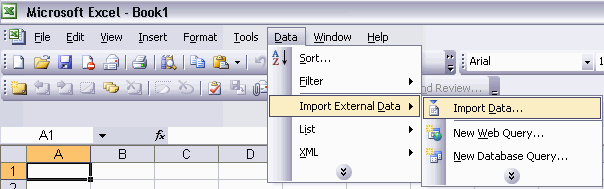
The solution is to open a blank Excel document, choose Data->Imoprt External Data->Import Data...
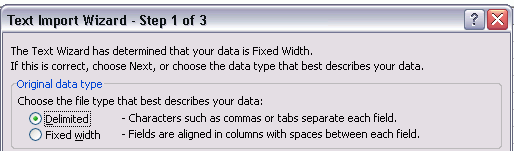
Browse to the csv file, choose Delimited and click Next.
On step 2, change delimiter to Comma and click Next.
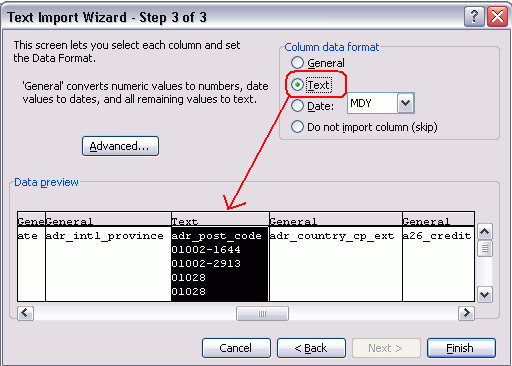
On step 3, go to the column with zeros and choose column format: Text
Import into Existing worksheet:=$A$1 and click OK.
Now this file can be edited and will save properly from File->Save As... CSV