Assigning Interest Intensity from Action
When an individual participates in an action that has been assigned an interest code, his or her intensity for that interest increments by one. The intensity for an interest code indicates how engaged or "interested" an individual is in that interest code.
Assigning Interest Intensity from Profile Menu
To view an individual's intensity level for an interest code, complete the following steps:
- Go to and open an Individual Profile.
- Click the More child form tab and select Misc.
- Expand the Interests child form.
- Click the Edit
 icon next to the interest with the intensity you wish to view.
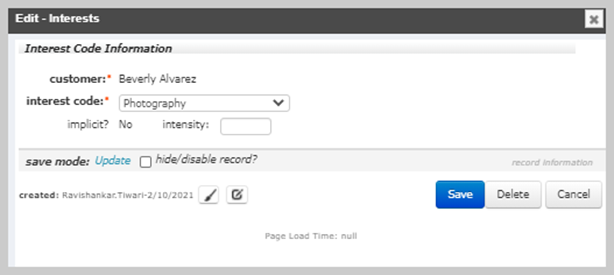
This opens the Edit - Interests form.
The individual's intensity for that particular interest is listed in the Intensity field.
The Implicit? checkbox shows whether the Interest Code is an implicit interest. The Implicit? checkbox can be checked for a value of "yes" by a NetForum user, or by NetForum automatically.