Writeoffs Child Form
The Writeoffs child form on the Invoice profile displays the name of the product for which the writeoff was performed. This child form also displays the writeoff amount with the date when the writeoff was performed and the batch used for the transaction.
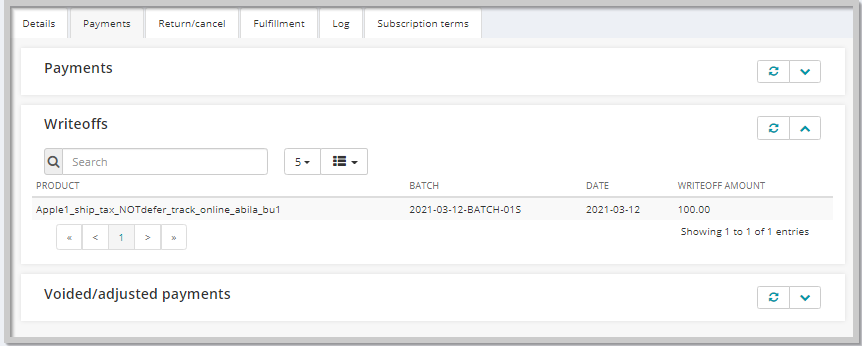
Writeoffs Child Form Information
You can see the following columns on the Writeoffs child form:
| Column | Description |
|---|---|
| Product | Displays the name of the product for which the writeoff was performed. |
| Batch | Displays the batch name in which the transaction happened. |
| Date | Displays the date on which the writeoff was performed. |
| Writeoff Amount | Displays the amount that has been written off from the invoice. |
Child Form Icons
Use the following icons to work with child forms. Not every form will have all of the icons listed.
| Icons | Actions | |
|---|---|---|
| Classic UI | Current UI | |
 |
 |
expand/close icon to expand or close a child form. |
 |
 |
goto record icon to view that record's profile page. |
 |
 |
add icon to add a new record to the child form. |
 |
 |
edit icon to edit a record on the child form. |
 |
 |
delete icon to delete a record on the child form. |
 |
|
grandchild form icon to expand or close a grandchild form. |
 |
new window icon to open a child form in a new window. | |
 |
 |
more info icon to see more information about the record on the child form. |
 |
linked headings to sort the records. | |
 |
refresh the data in the form. | |
 |
export the data to a quick report for download. | |