Shipping Child Form
The Shipping child form on an Invoice profile displays the shipping product used and the shipping amount applied for the shipment of the product listed in the Line items child form. The Shipping child form fields will be blank if shipping product is not applied while adding an invoice.
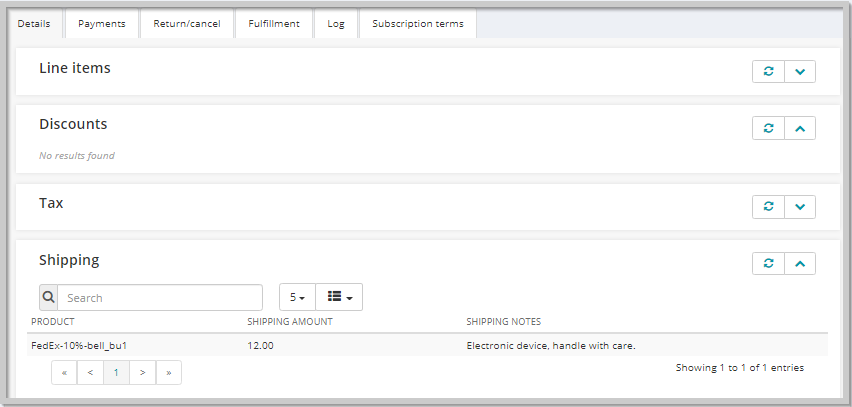
Shipping Child Form Information
The Shipping child form displays a list of details about the shipping product used along with shipping amount and shipping notes. You see the following columns on the Shipping child form:
| Column | Description |
|---|---|
| Product | Displays the name of the shipping product used for the product shipment. |
| Shipping Amount | Displays the amount applied for the shipment of the product. |
| Shipping Notes | Displays any specific note added while applying the shipping product. |
Child Form Icons
Use the following icons to work with child forms. Not every form will have all of the icons listed.
| Icons | Actions | |
|---|---|---|
| Classic UI | Current UI | |
 |
 |
expand/close icon to expand or close a child form. |
 |
 |
goto record icon to view that record's profile page. |
 |
 |
add icon to add a new record to the child form. |
 |
 |
edit icon to edit a record on the child form. |
 |
 |
delete icon to delete a record on the child form. |
 |
|
grandchild form icon to expand or close a grandchild form. |
 |
new window icon to open a child form in a new window. | |
 |
 |
more info icon to see more information about the record on the child form. |
 |
linked headings to sort the records. | |
 |
refresh the data in the form. | |
 |
export the data to a quick report for download. | |