Exam Participant Profile
The Exam Participant Profile page displays information about the exam participant. The profile gives you the opportunity to edit the Exam Participant information.
This topic covers the information displayed in the profile and links to the topics describing actions that you can perform on the profile page.
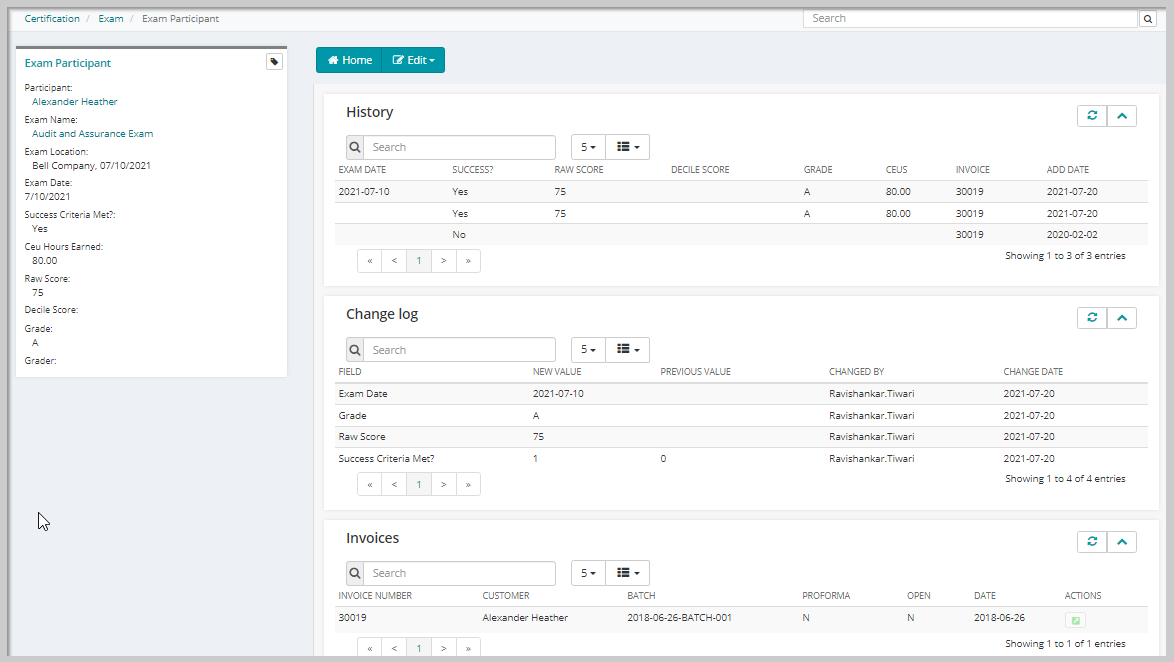
Exam Participant Profile Information
The Exam Participant Profile displays the following information:
| Field | Description |
|---|---|
| Participant | Displays the full sort name of the individual. |
| Exam name | Displays the friendly name for the exam. |
| Exam Location | Displays the name of the venue for the exam. |
| Exam Date | Displays the date the exam takes place. |
| Success Criteria Met? | Displays No by default. Displays Yes or No, depending on the state of the Success Criteria Met? check box. |
| Ceu Hours Earned | Displays CEU Credits earned by the participant. |
| Raw Score | Displays the numeric score this participant received on this exam. |
| Decile Score | Displays the one group out of nine that this certificant's scores fall into. |
| Grade | Displays the grade earned for the exam. This can be a letter or a number score. |
| Grader | Displays the Last Name, First Name of the exam grader. |
Exam Participant Profile Actions
You can perform the following action from the Exam Participant Profile:
Exam Participant Profile Child Forms
The Exam Participant Profile contains the below listed child forms, you can use these child forms to track the progress of the exam that the participant has registered for with the update in the change log and Invoice details.